What an AI travel organizer is good for
A trip can create a surprising amount of administration: an email confirmation here, a hotel address there, a screenshot of a reservation, and one deadline that must not be missed. An AI travel organizer can help you collect, summarize and revisit those details, instead of reopening a dozen apps each time you need an answer.
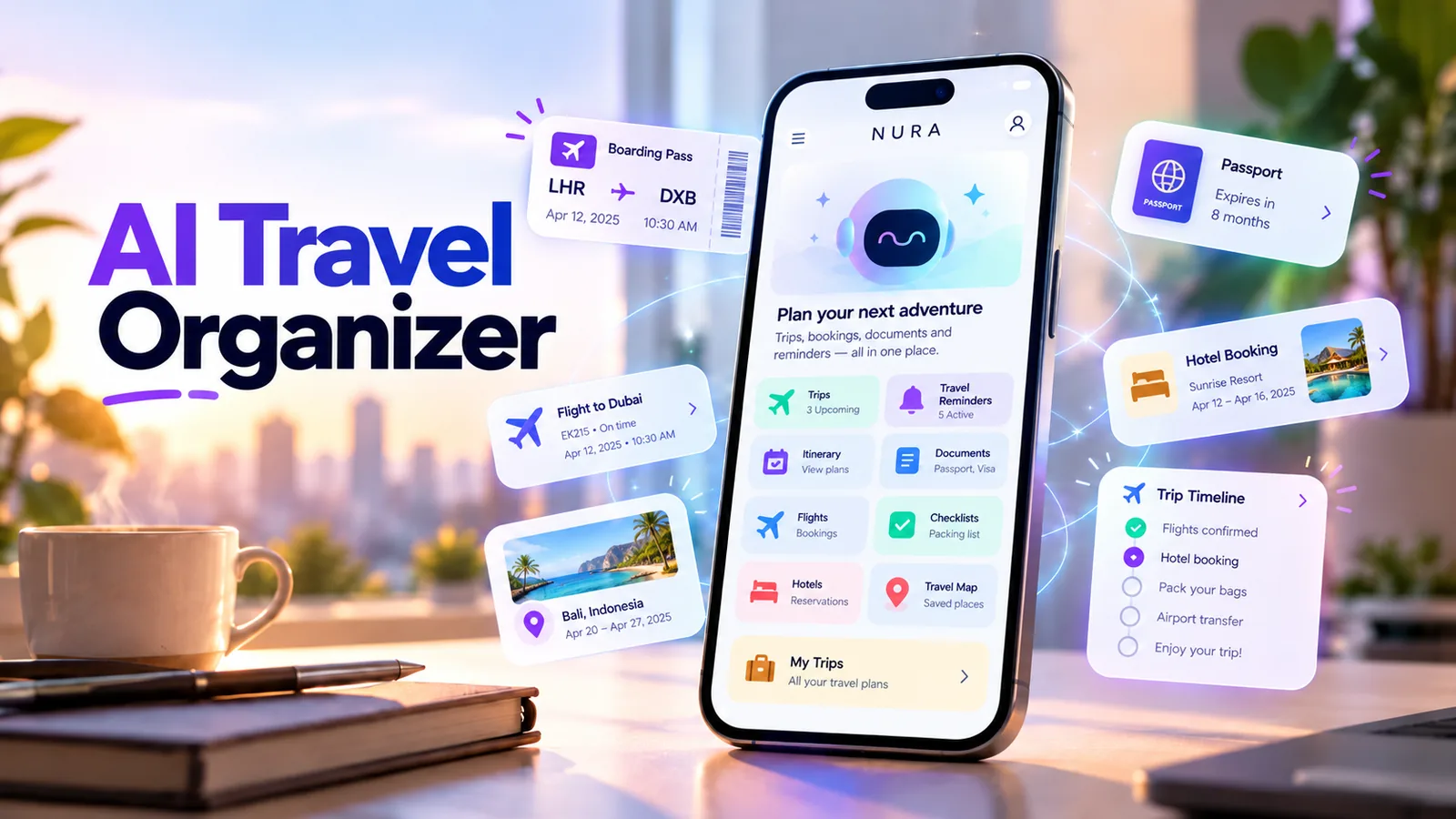
NURA is a life assistant with travel and document areas, rather than a flight booking marketplace. Its useful role is to help manage information you supply: trips, documents, reminders, notes and related personal context. Booking availability, visa rules, flight status and prices must still be verified with the relevant official service.
Start with one simple trip brief
You do not need an elaborate itinerary. For a three-day trip, start with four facts: destination, travel dates, where you are staying, and which bookings you have already made. Add the hotel contact details and arrival time if you have them. Keep a link or saved copy of the original confirmation.
A useful first prompt is: “Help me organize my trip to Chicago from November 5 to 8. My hotel check-in is at 3 PM. Make a short checklist of what I still need to verify.” Treat the response as a working draft and correct anything that was assumed.
- 01
Create or open the trip in your organizer and record the destination and real travel dates.
- 02
Add the confirmed booking references and addresses that you actually need.
- 03
Attach a low-risk booking document or image if the feature is useful to you.
- 04
Ask for a compact checklist: transport, lodging, required documents and deadlines.
- 05
Verify names, dates and references against the original confirmation.
- 06
Save reminders for check-in windows or other time-sensitive actions.
Which travel documents should you organize?
The best document system is the smallest one you can trust. Save the items that may matter during travel: confirmations, booking references, lodging details, and any important deadlines. Avoid uploading documents that are not needed for the workflow.
For passports, immigration, health and insurance matters, use authoritative sources and the original documents. AI can help you build a checklist, but should not be treated as proof of eligibility, current entry rules or a valid reservation.
| Information | Why keep it handy | What to verify yourself |
|---|---|---|
| Reservation confirmation | Booking reference and contact details | Operator, date, person and booking status |
| Lodging address | Navigation and check-in planning | Actual property address and reception hours |
| Trip timetable | Know when to leave or follow up | Time zone and updated official schedule |
| Preparation checklist | Avoid forgetting small items | Any document or entry requirement with the official source |
Turn the idea into a real workflow with NURA.
Start free on iOS or Android. Keep the official store link one tap away.
Use reminders for action, not every piece of information
A reminder is useful when you can do something about it at a specific time. “Download my booking confirmation tonight” is an action; “hotel address” is information. Keep those two separate so notifications stay meaningful.
Try one or two reminders before departure, such as checking the operator’s latest schedule or packing a particular item. In NURA, review each proposed reminder and confirm the final date/time. If the app stores the reminder, also check phone notification settings to make sure an alert can appear.
- Use a single verb at the start of reminder titles.
- Plan for the local time zone at your destination when timing matters.
- Prefer official airline, train, hotel or government sources for live information.
- Review every AI-generated checklist before relying on it.
Start free. Upgrade when your usage earns it.
These are the current website plans shown in GBP. If you are in the United States, check the price shown in your official app store or the billing screen before purchase; local billing may differ.
Free
50 AI messages · 5 Live Voice min · 2 AI images · 200 MB vault
NURA Plus
500 AI messages · 45 Live Voice min · 10 AI images · 2 GB vault
NURA Pro
1,500 AI messages · 150 Live Voice min · 30 AI images · 10 GB vault
AI trip planning vs a travel organizer
An AI trip planner may suggest places and activities, while a travel organizer focuses on confirmed facts: reservations, addresses, travel documents and to-dos. Some apps do both. Before choosing one, decide whether you mostly need inspiration or whether your problem is keeping the logistics together.
NURA fits the second use case best: a general-purpose personal assistant for day-to-day context that can include travel. It is not a replacement for an airline app or a live booking engine, and it should not claim to guarantee schedules or prices.
Test with an upcoming weekend trip
Start with a short trip that you already understand. Record the real dates, add one confirmation, and make a checklist. If you can retrieve the correct details and see the saved reminder later without searching old emails, the workflow is helping. If it adds more administration than it removes, simplify it.
You can download NURA on iOS or Android and try a travel-organization workflow alongside your existing booking apps. Keep your original confirmations and official travel information as the source of truth.
Frequently asked questions
Is NURA an AI travel planner or a booking website?
NURA is a personal AI life assistant with travel organization, documents and reminders. It is not presented as a flight or hotel booking marketplace.
Can an AI travel organizer remind me before a trip?
Yes, reminders can support travel preparation. Review the saved date and time in the app and verify device notifications before depending on an alert.
Should I upload my passport to a travel AI app?
Only provide sensitive documents when there is a clear need and you understand the app’s privacy and processing practices. For many checklists, a document does not need to be uploaded at all.
Can AI tell me current flight status or visa rules?
Do not rely on an unverified AI response for live flight status, visa requirements or entry rules. Use the airline, carrier or official government source for current information.

NURA AI Editorial Team
Your life, organized by AI.Research and content team for NURA AI. This guide uses current NURA product, billing and privacy information and is updated as the app changes. Important information should still be verified against the live app, store listing, privacy policy and billing page.